MAKE WORKING WITH POWERPOINT FASTER, EASIER AND MORE FUN!
We have taken 15 years of daily work with PowerPoint and developed a set of more than 100 functions to make your life easier when working with presentations. This includes a broad range of layouting, sizing and aligning functions - and a lot more.

RAPID MULTI-SELECTION
You need to select all icons on a slide - or all filled rectangles? Instead of clicking one shape after another, now only click once - and all similar shapes are selected magically.
TOP FUNCTION
Saves you at least 2 seconds per shape

QUICK ALIGN ON CANVAS
TOP FUNCTION
Get really quick when aligning objects inside of your working area. Select multiple objects and then press the desired alignment action - and they fit perfectly inside of the boundaries of your canvas. You can select from 9 alignment options - top, left, top left etc., you name it. One special help might be the "center vertically" function. This helps you to center objects vertically inside of the working area - not the slide, like done by Powerpoint by default.
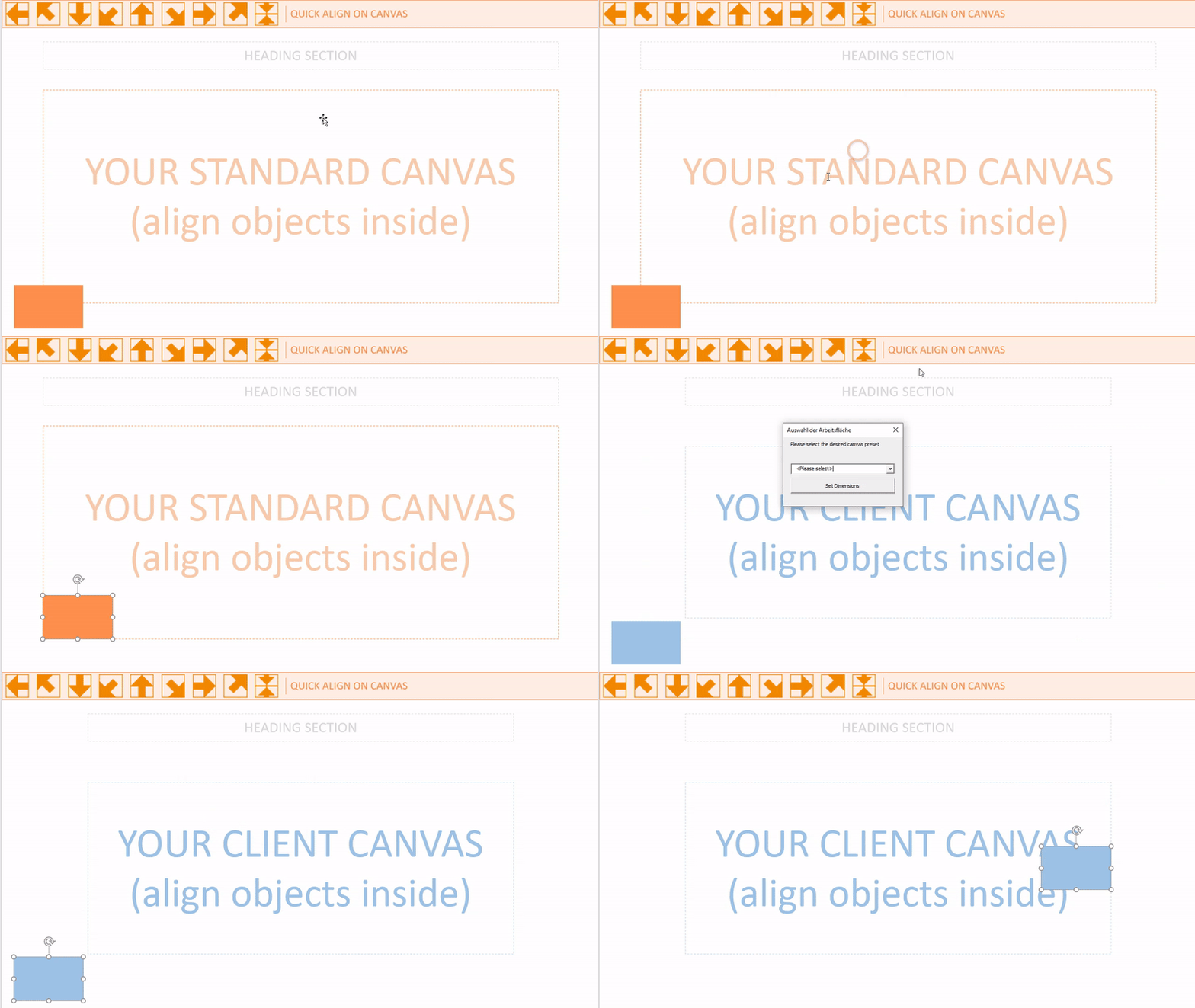
Saves you at least 5 seconds per shape
STANDARD COLOURS
It's likely that in 80% of all cases you are using 2 standard colours throughout your presentation. Hence we made those two colours immediately available in the ribbon. You can apply them either as fill or as line colour. And even better - the colours are related to your canvas. So each canvas can have its own two colours!
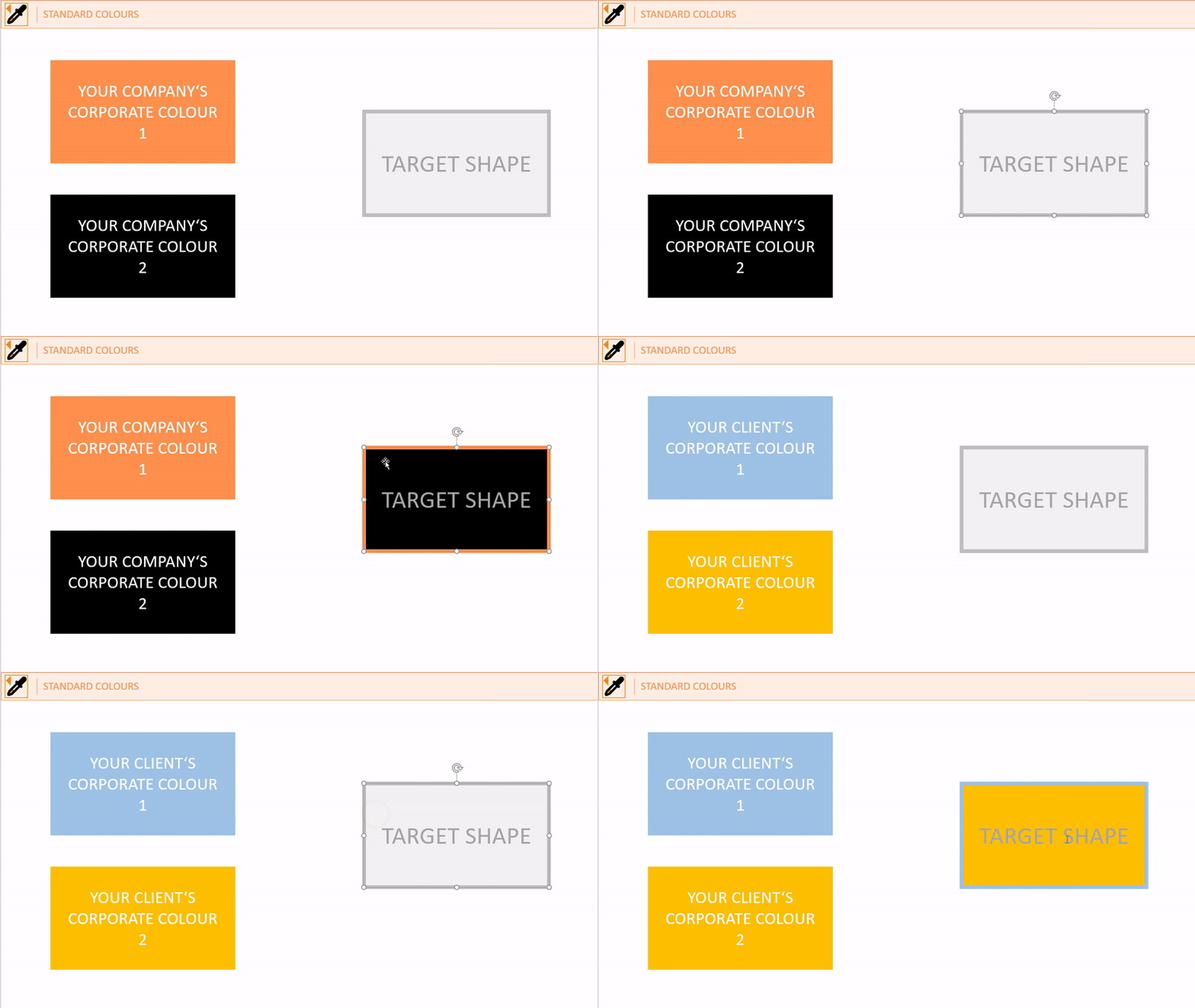
Saves you at least 5 seconds per shape
REMEMBER AND APPLY SIZE AND POSITION
TOP FUNCTION
You add a shape or picture to a slide and want it to be the same size and at the same position as another shape on a previous slide. This becomes extremely easy. Just select remember the size and position of the "master" object, then select the shape on the other slide and apply size and position from the master. Done.
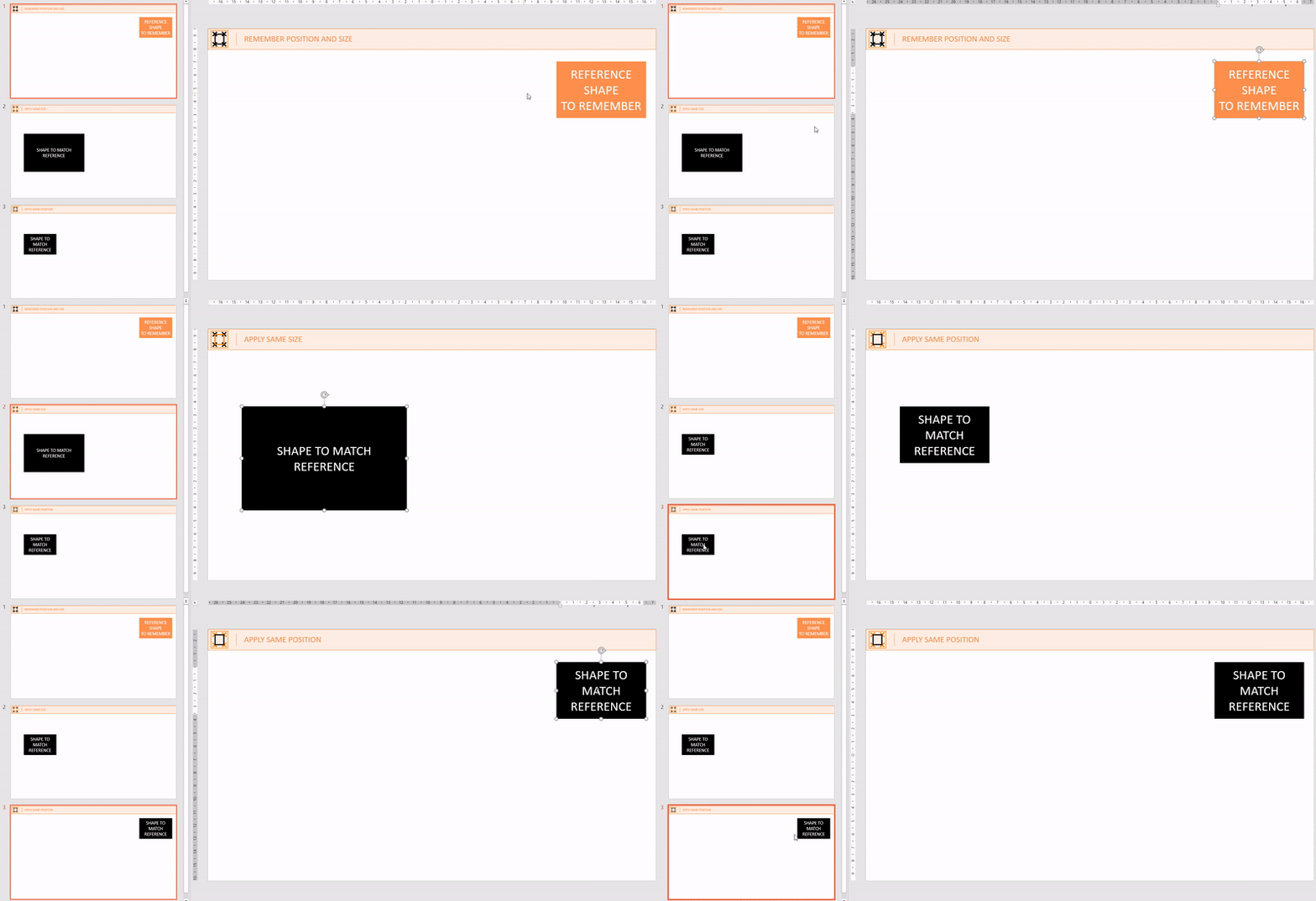
Saves you at least 20 seconds per shape
CANVAS RELATED SIZING OF SHAPES
How many times do you need to adjust shape sizing to match the height or the width of the working area? Countless... But no more. Just pick one of the predefined functions to make a shape just the right size to match the dimensions of the canvas - or half of it. As you like
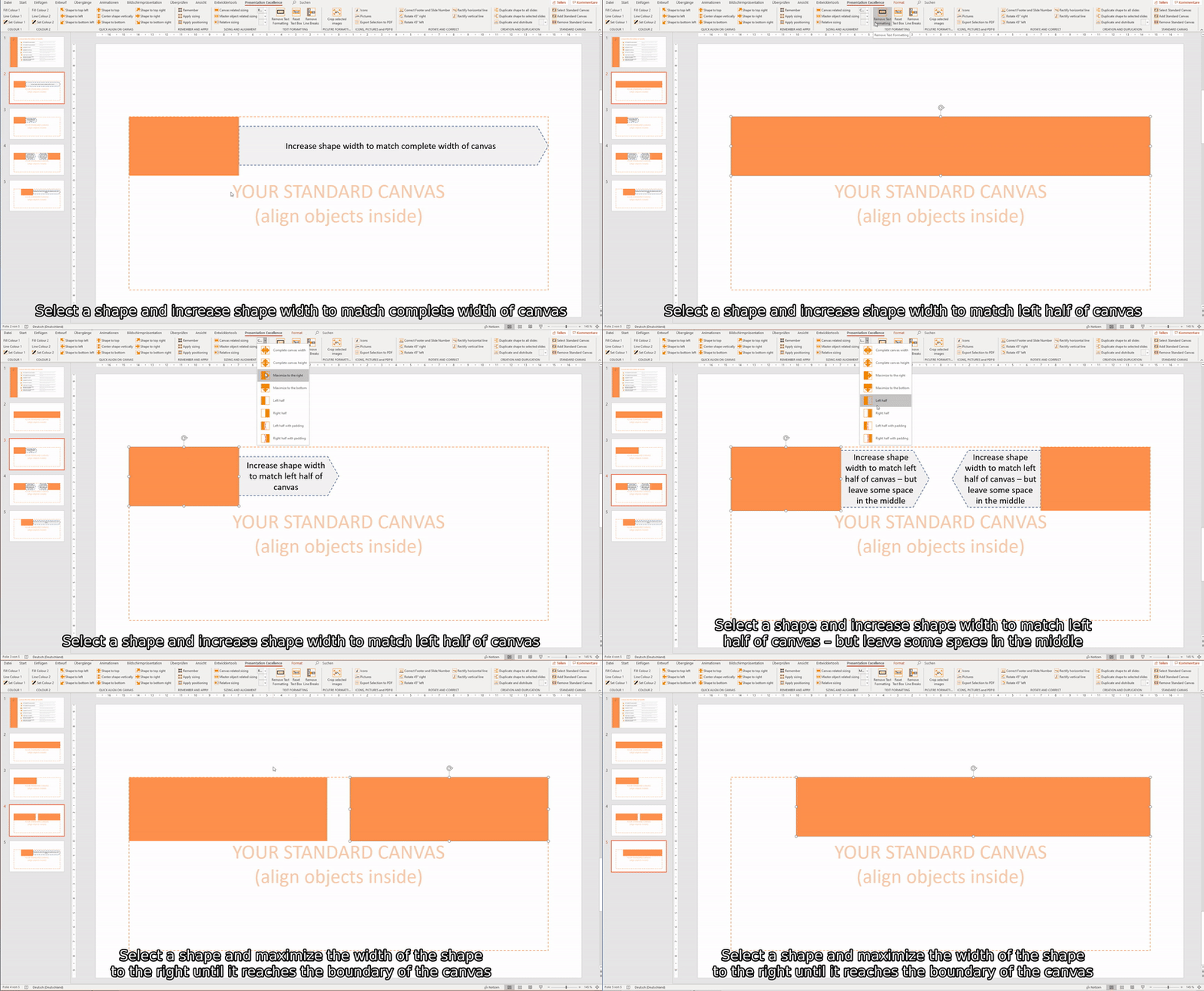
Saves you at least 10 seconds per shape
MASTER OBJECT RELATED SIZING OF SHAPES
Sometimes you want to align various shapes to the size or positioning of one specific ("Master") shape. So you can just select this shape first and then match all the others - with one simple click. Be it height, width, top, left or middle.
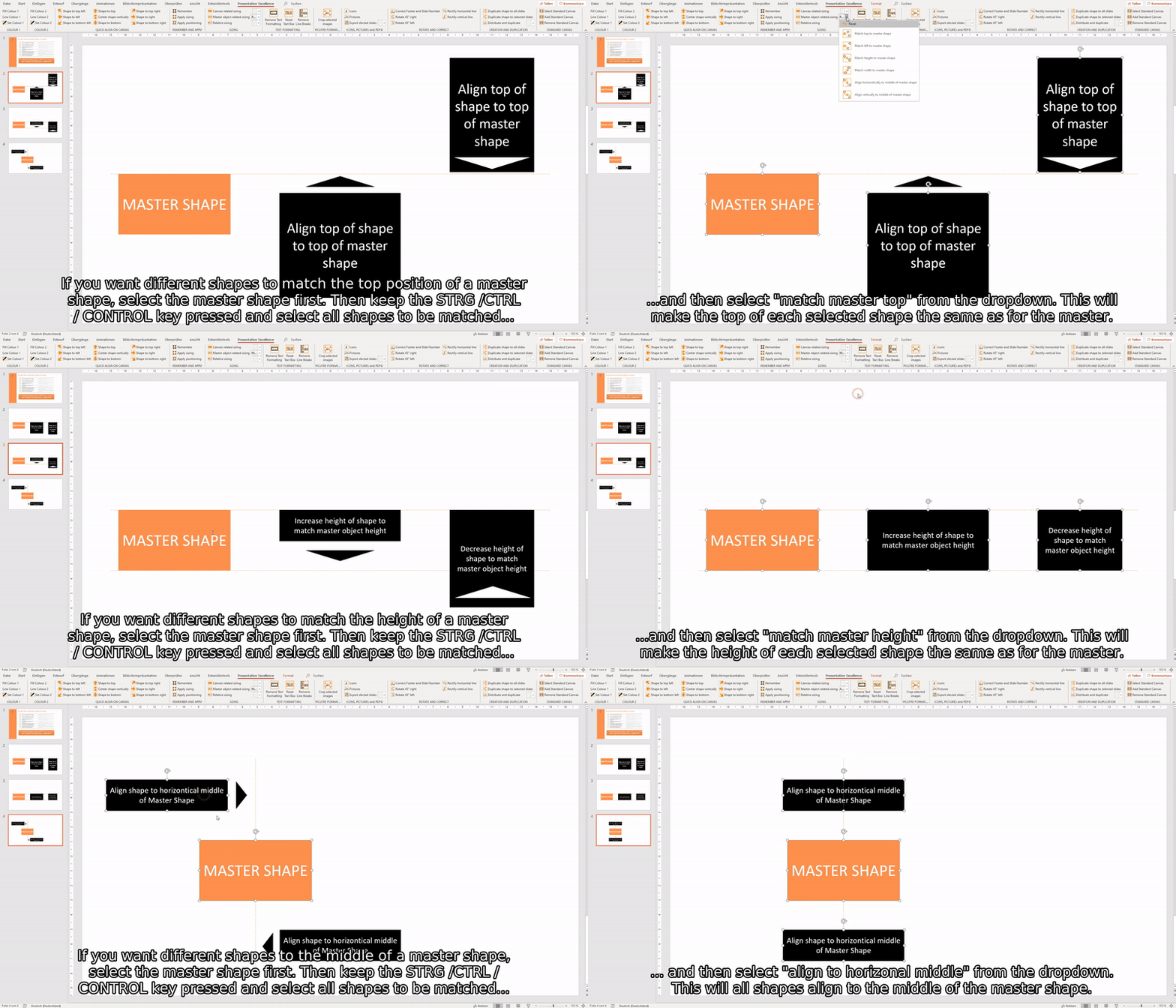
Saves you at least 15 seconds per shape
TOP FUNCTION
SWAP SHAPES
You want to change the order of shapes on a slide and start to shuffle and adjust - until the order changes again... Now you can swap shapes and texts within the blink of an eye.
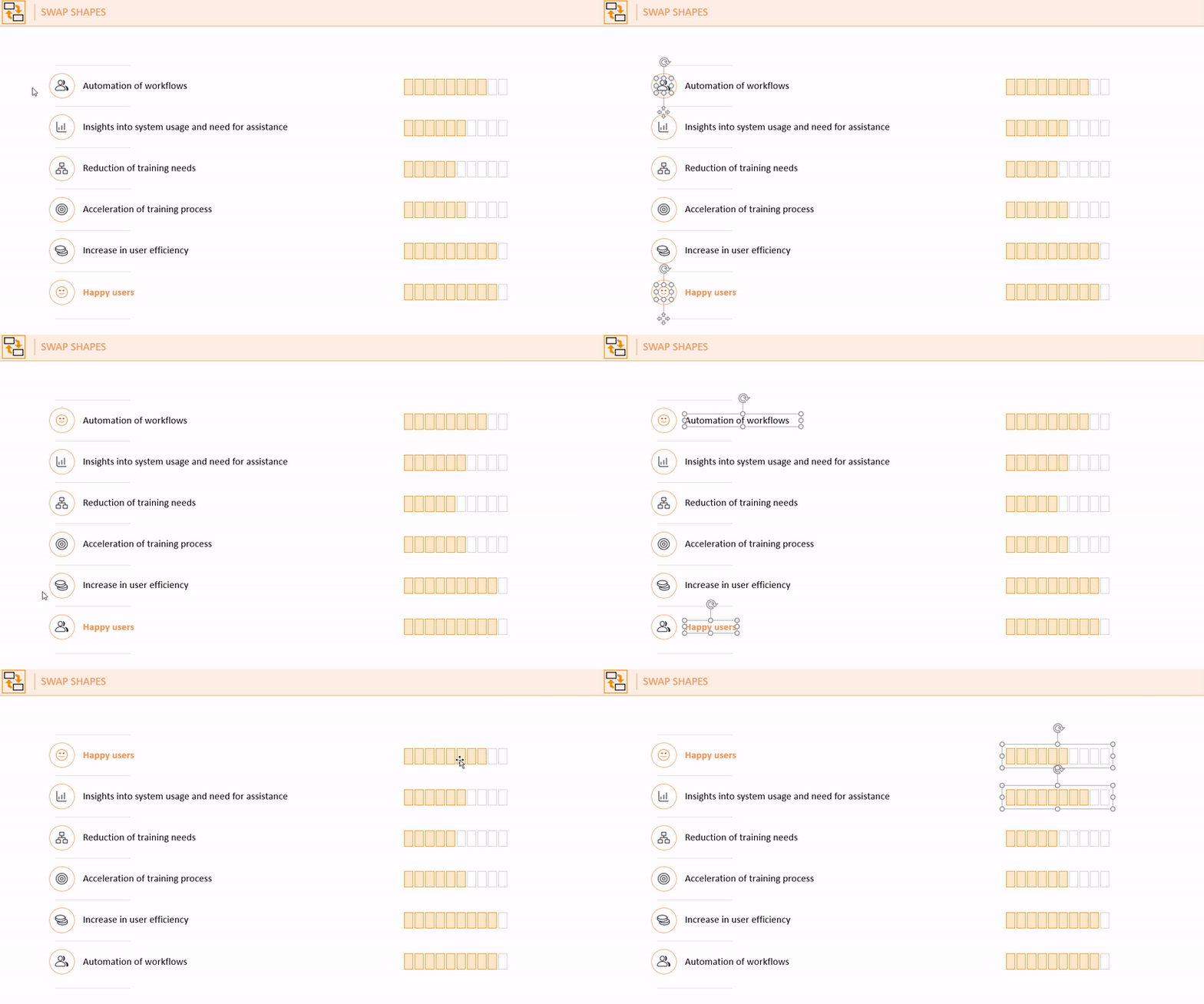
Saves you at least 30 seconds per shape
TEXT FORMATTING
Powerpoint frequently adds some undesired formatting to texts (e.g. indenting, line breaks, margins). These functions help you to remove all unnecessary formatting and line breaks and just leave the blank text to quickly apply the necessary formatting.
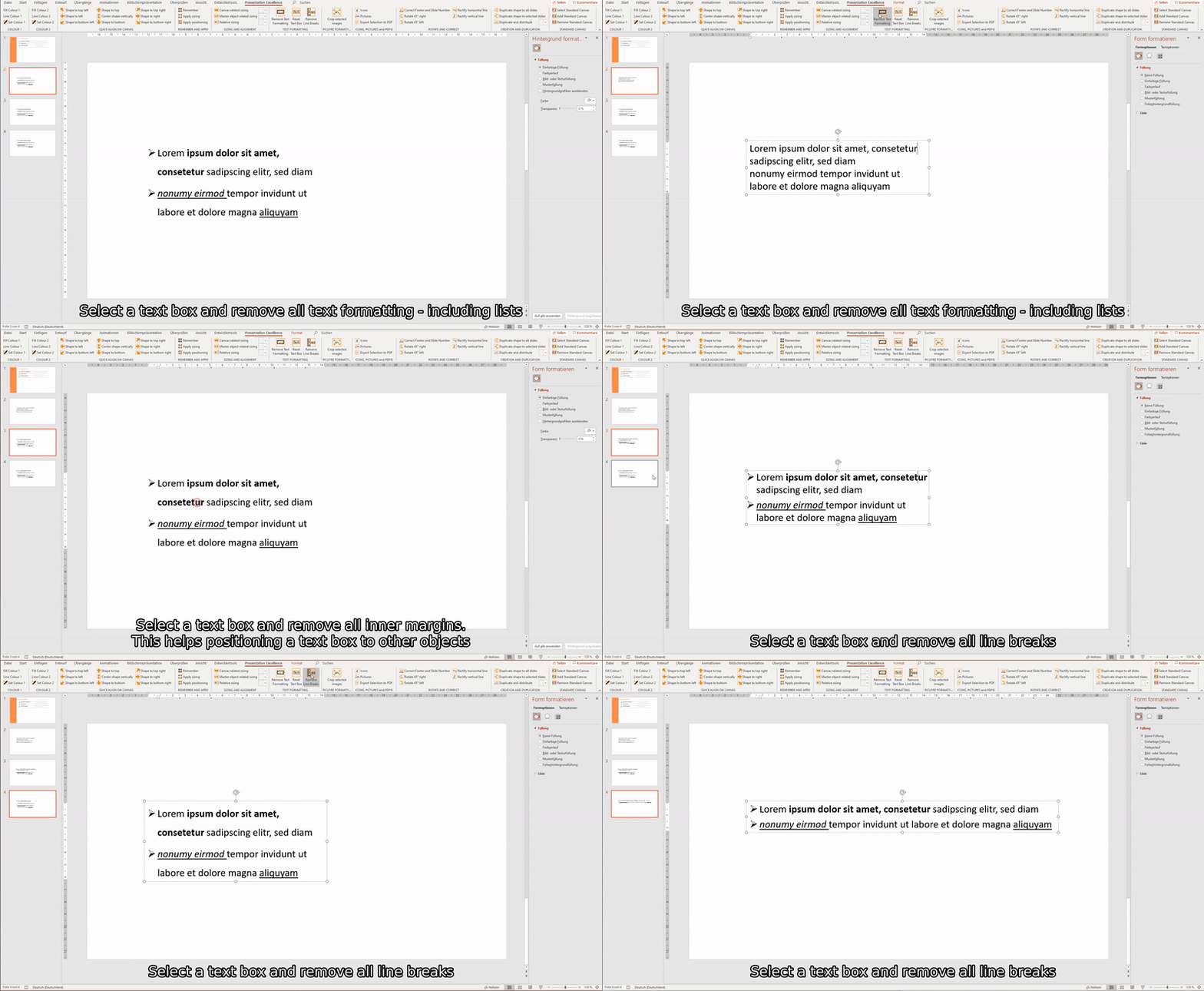
Saves you between 15 and 30 seconds per text box
RELATIVE SIZING OF SHAPES
And then there is the time where you have a number of shapes and you want to match them to the smallest, or the tallest, or the the widest... Just select them all and let the function do the rest.
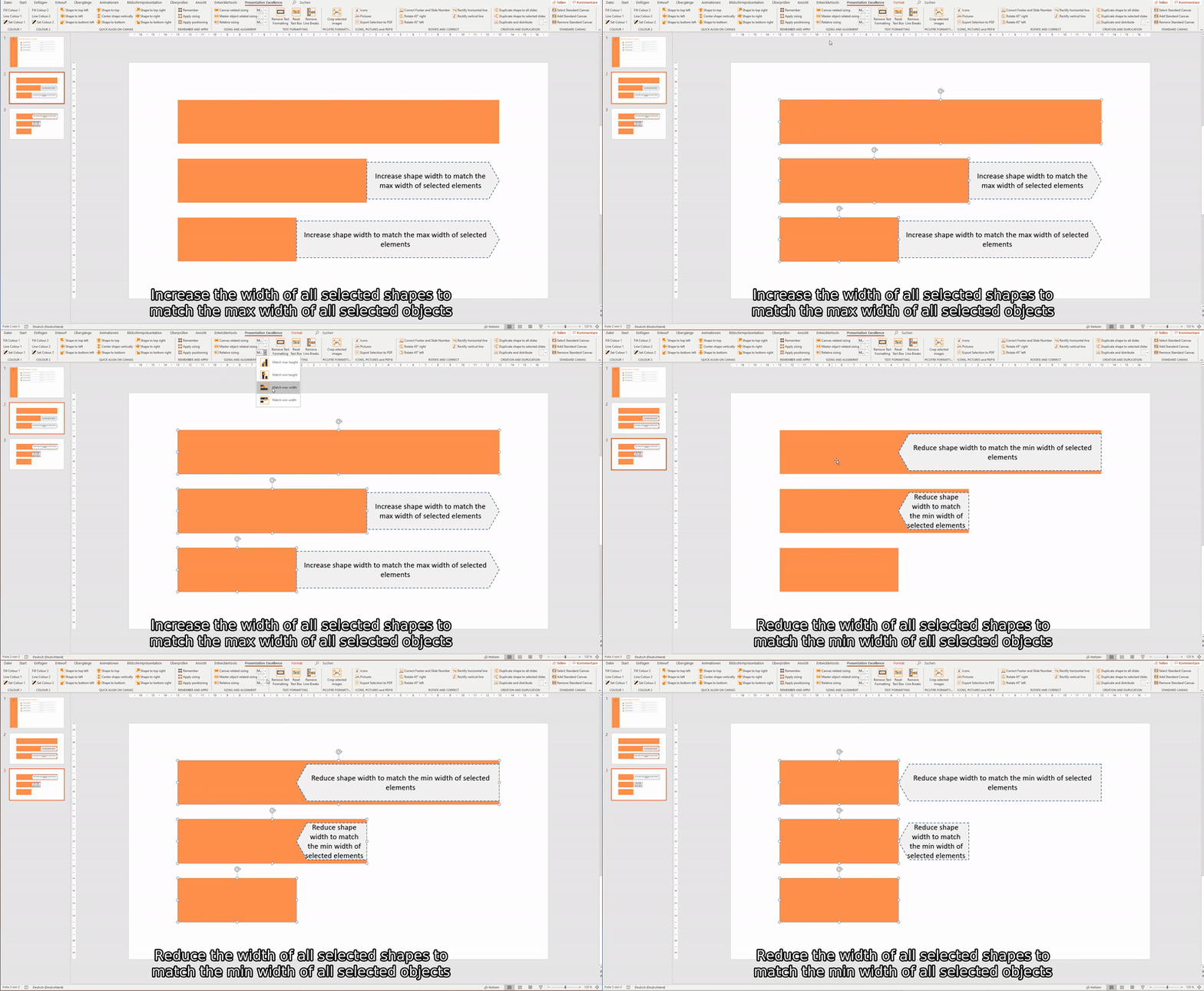
Saves you at least 15 seconds per shape
PICTURE FORMATTING
TOP FUNCTION
Formatting pictures can be a real pain. Especially when you try to do resizing and cropping at the same time. Don't talk about landscape vs. portrait... Here is a function to help. Select a picture and make all other pictures the same dimensions - cropping included! That was easy.
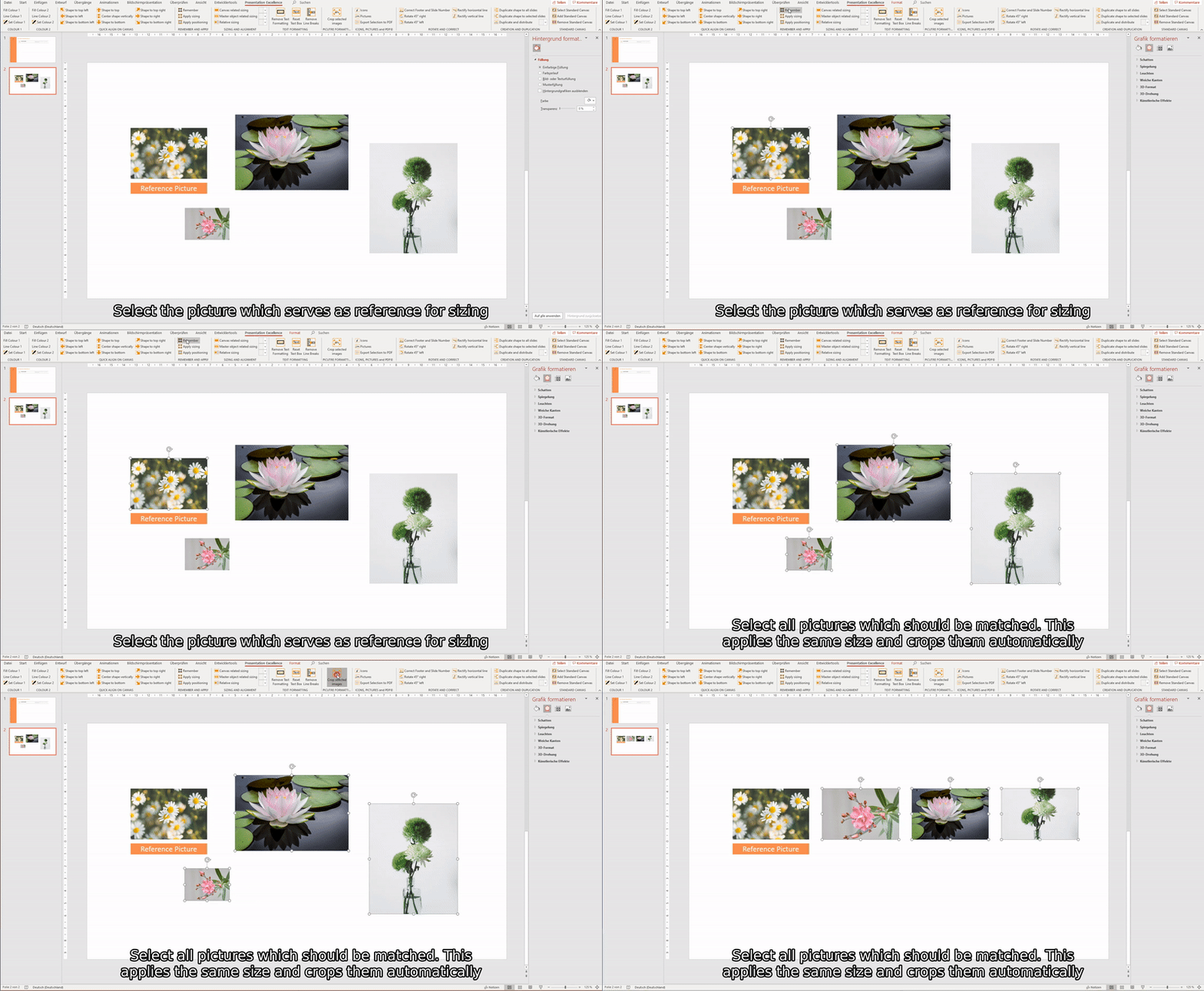
Saves you at least 180 seconds per picture
CLEAN ROTATING
When starting to rotate shapes it frequently gets messy - and no rotation is like the other. You could set this by hand or just rotate your shape by 45° every time you click our button. And the best is - it will also correctly your current rotation to the nearest 45° angle.
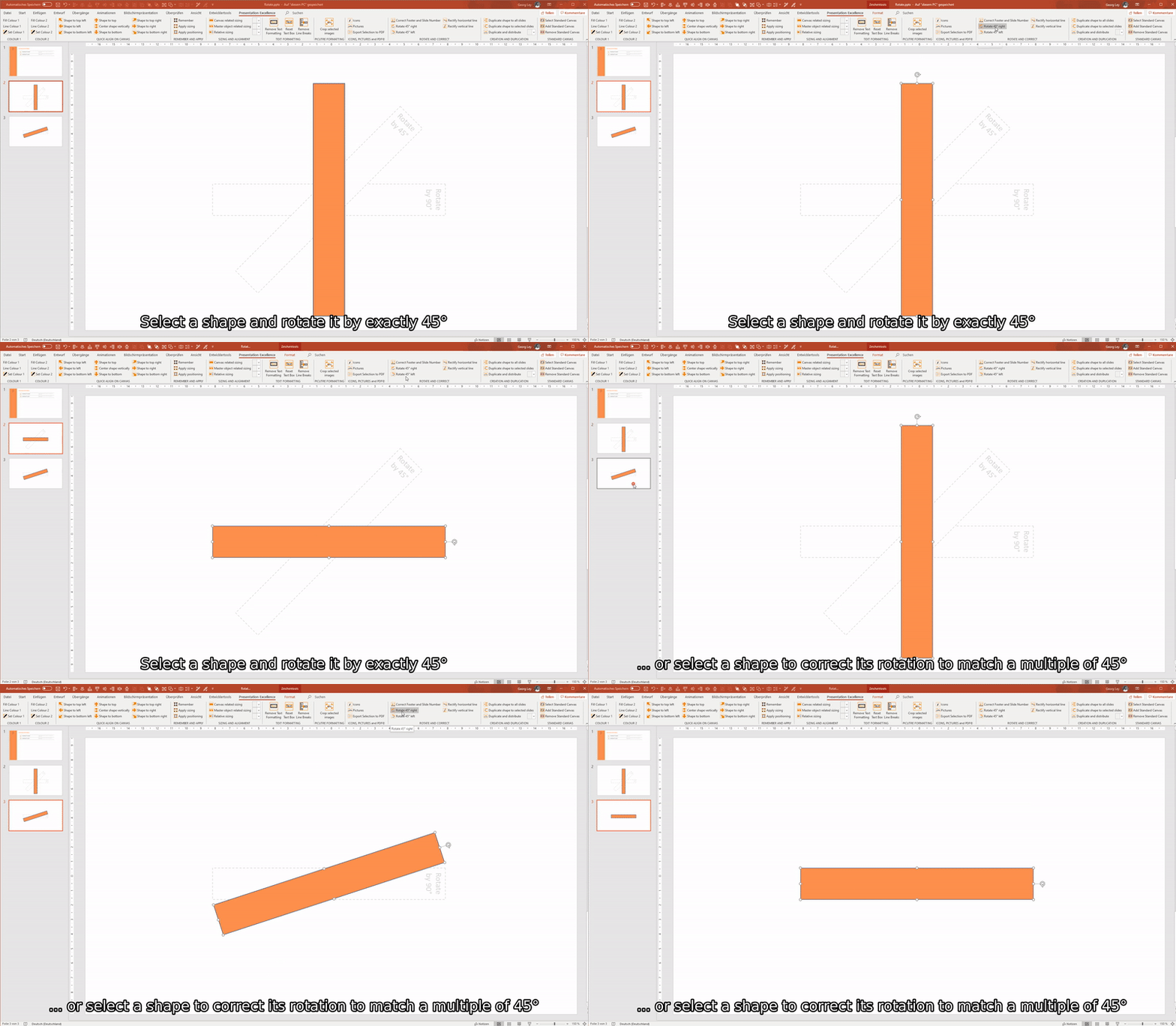
Saves you at least 15 seconds per shape
RECTIFY LINES
One of our favourite functions is the rectify function. This helps you in case a line is not fully straight. And you start dragging around one end to correct this - and make it worse. Not anymore. Selecting a line and making it straight by one click is now possible.
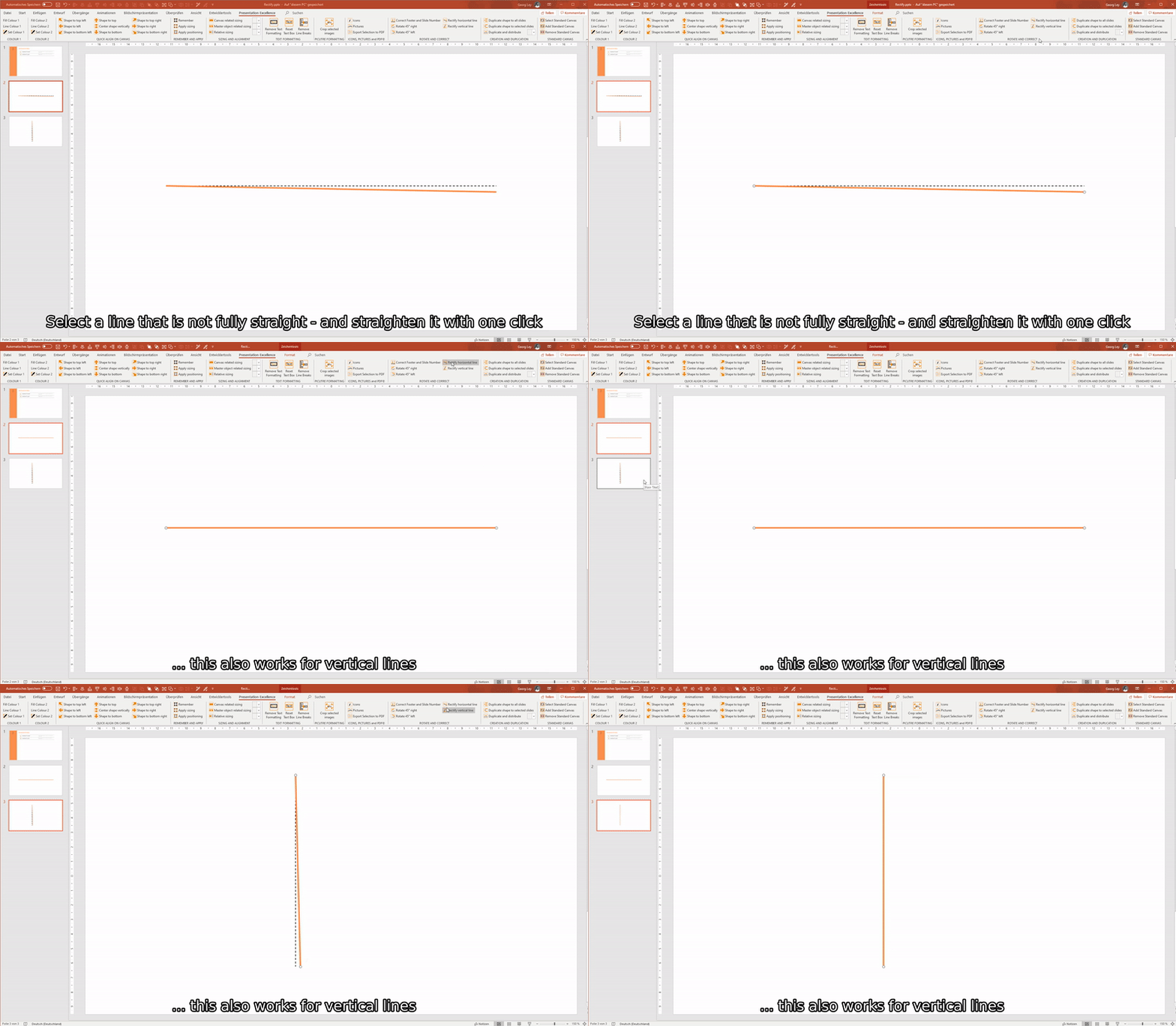
Saves you at least 15 seconds per line
REPLACE SHAPES
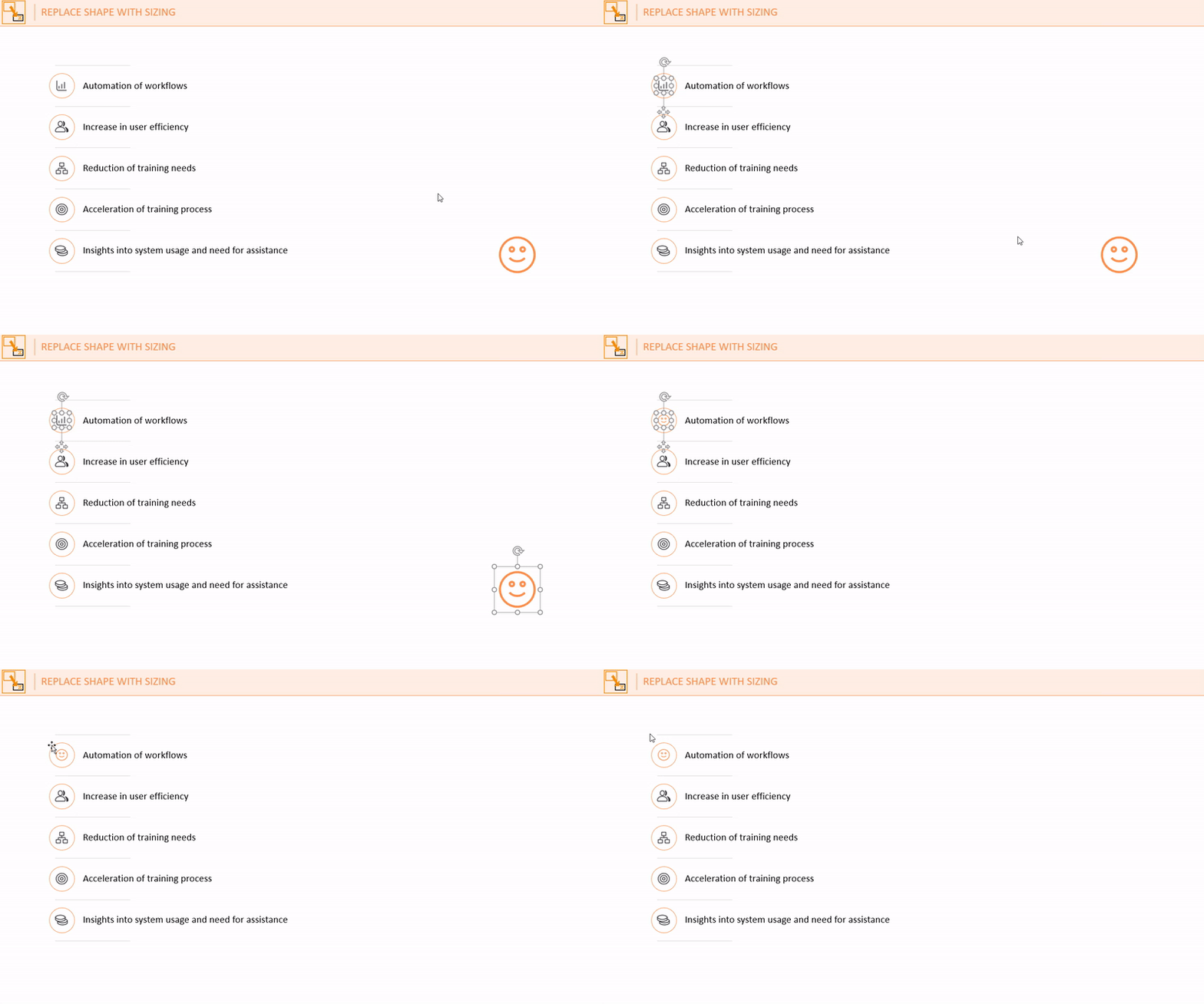
Same layout, different content - it could be so easy. Just select the shape to be replaced and let the program take care of the rest.
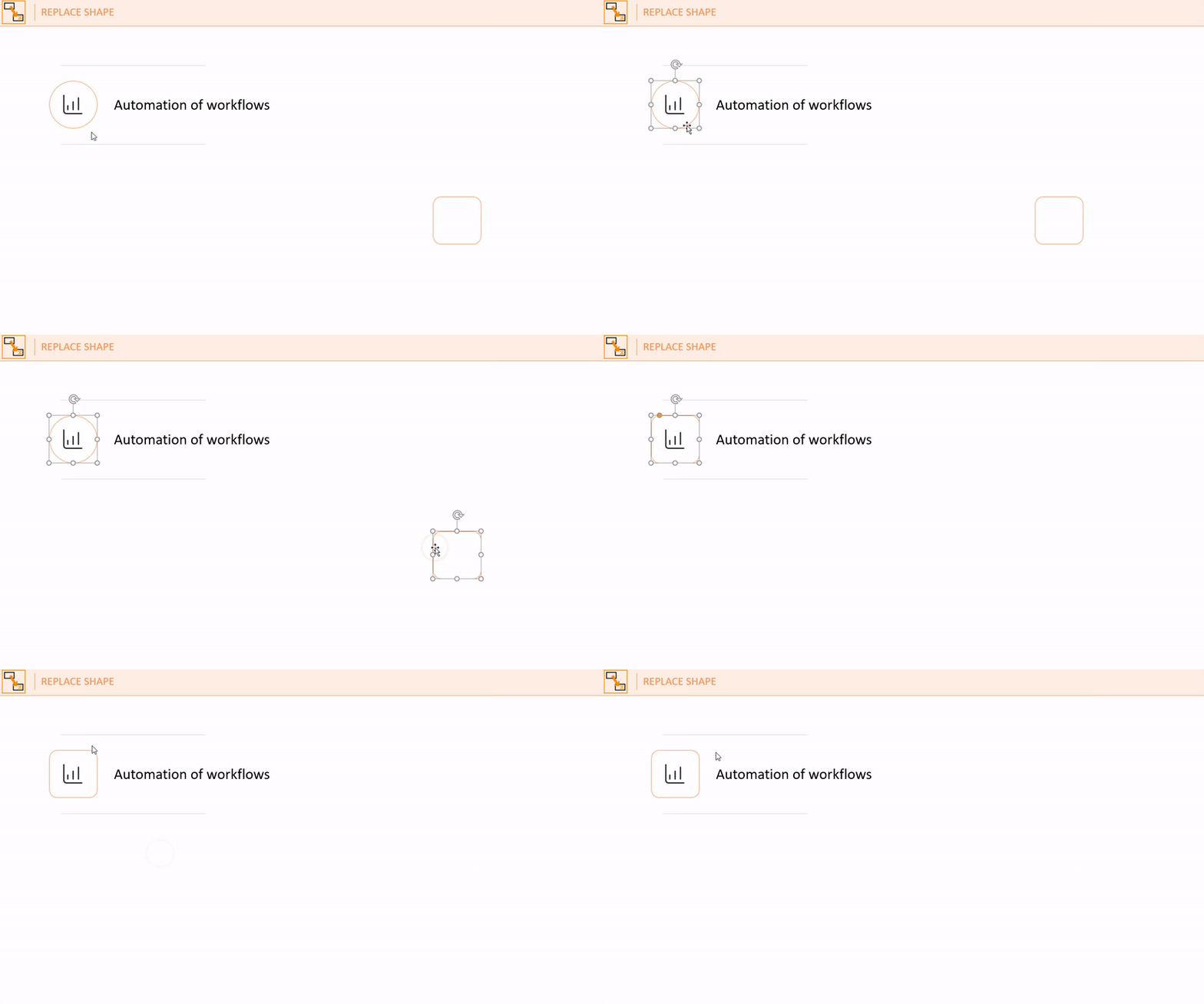
Saves you at least 15 seconds per shape
You even don't need to take care of resizing before replacing. It won't get any easier than that.
TOP FUNCTION
Saves you at least 30 seconds per shape
CORRECT FOOTERS AND PAGE NUMBERS
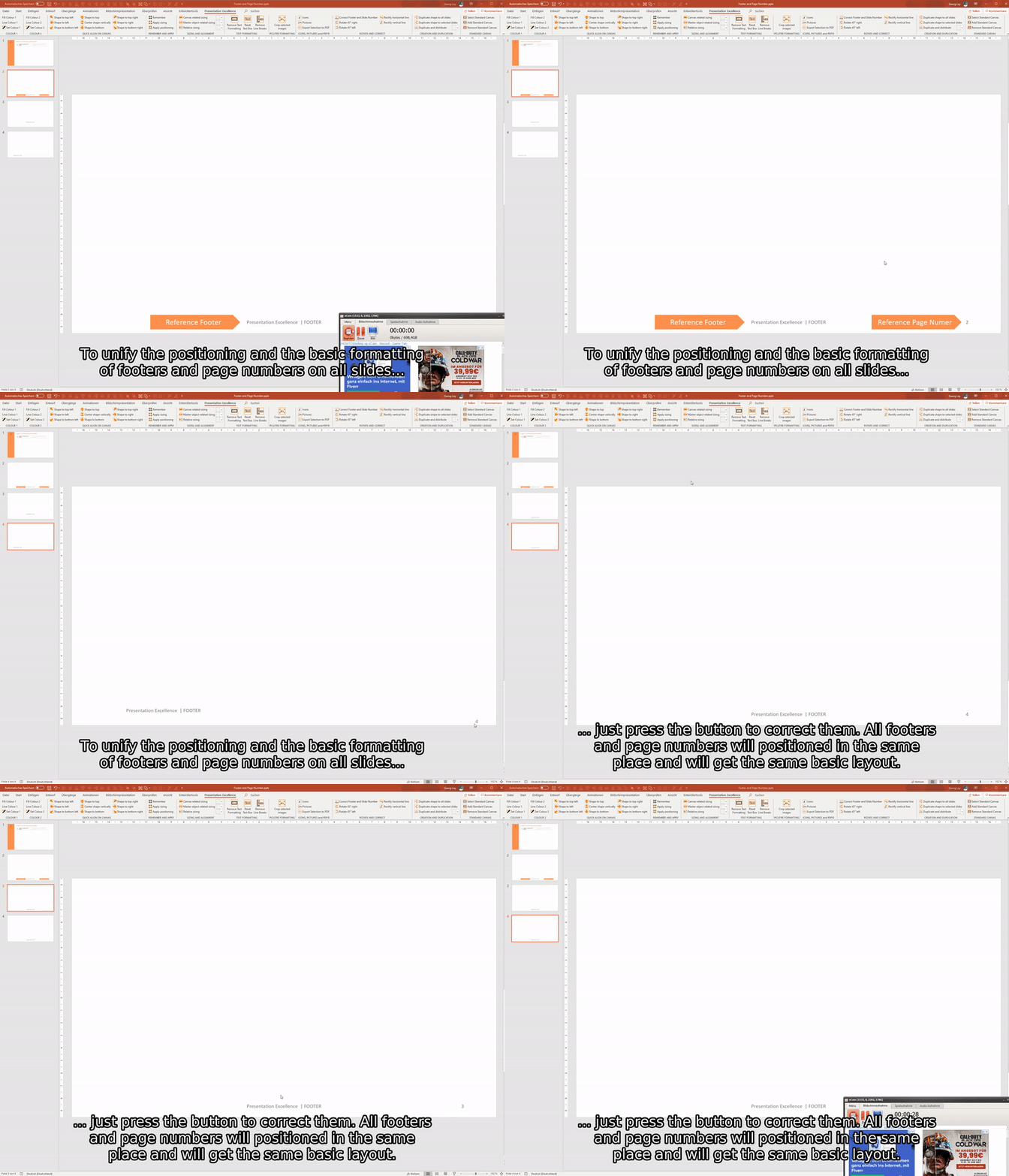
Adding slides from a different master - and there goes your footer / slide number. It starts to jump to different positions and gets arkward layouts applied. Now you can bring them back into the right position and shape with a single click.
Saves you at least 20 seconds per slide
ICONS
TOP FUNCTION
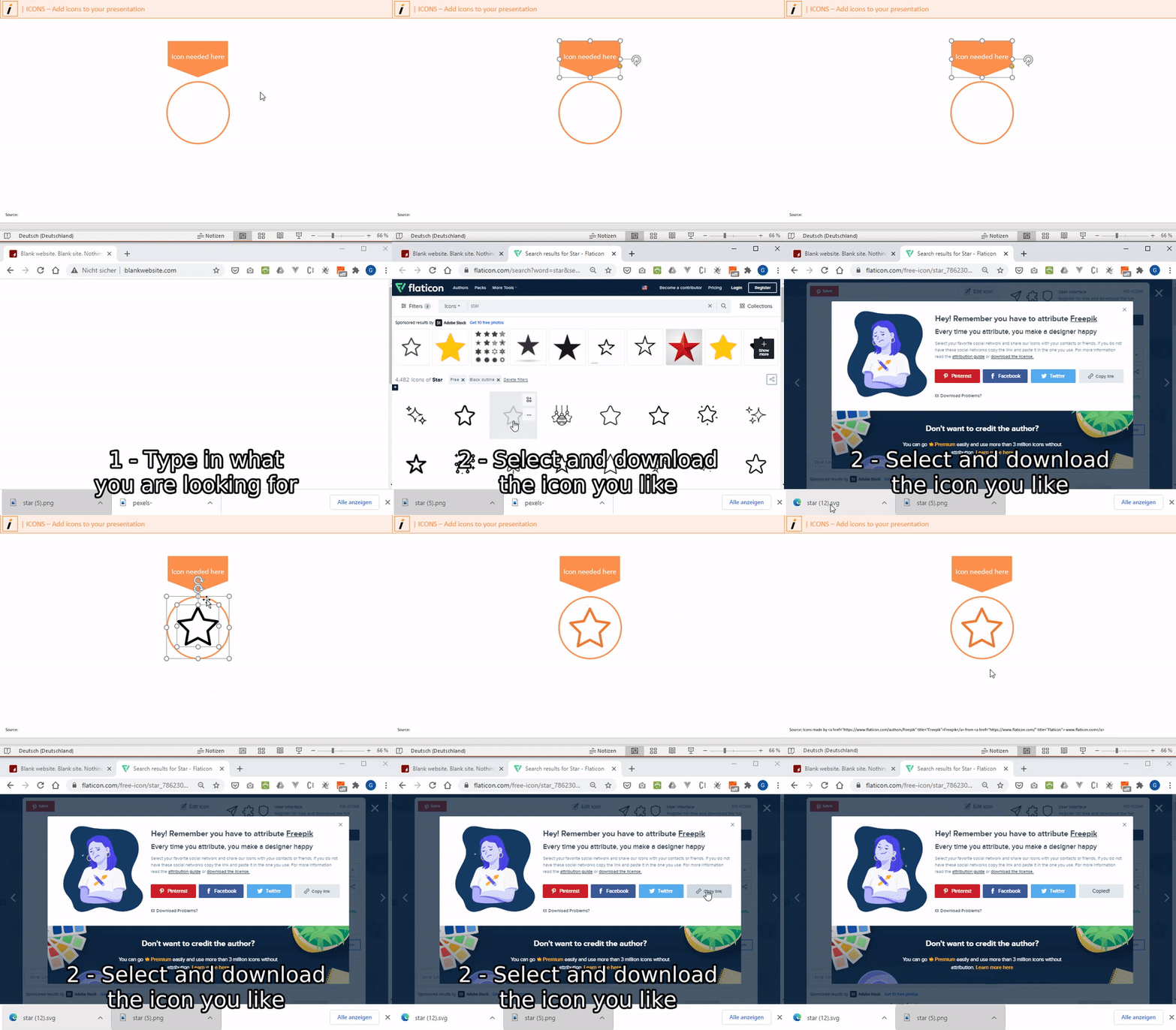
When developing engaging content, icons are essential. Until now you started browsing the web in search for icons matching your purpose. Now you can start right in Powerpoint. For your convenience we have integrated a link to one of the best resources for icons - ready to be used by you.
Saves you at least 180 seconds per icon
PICTURES
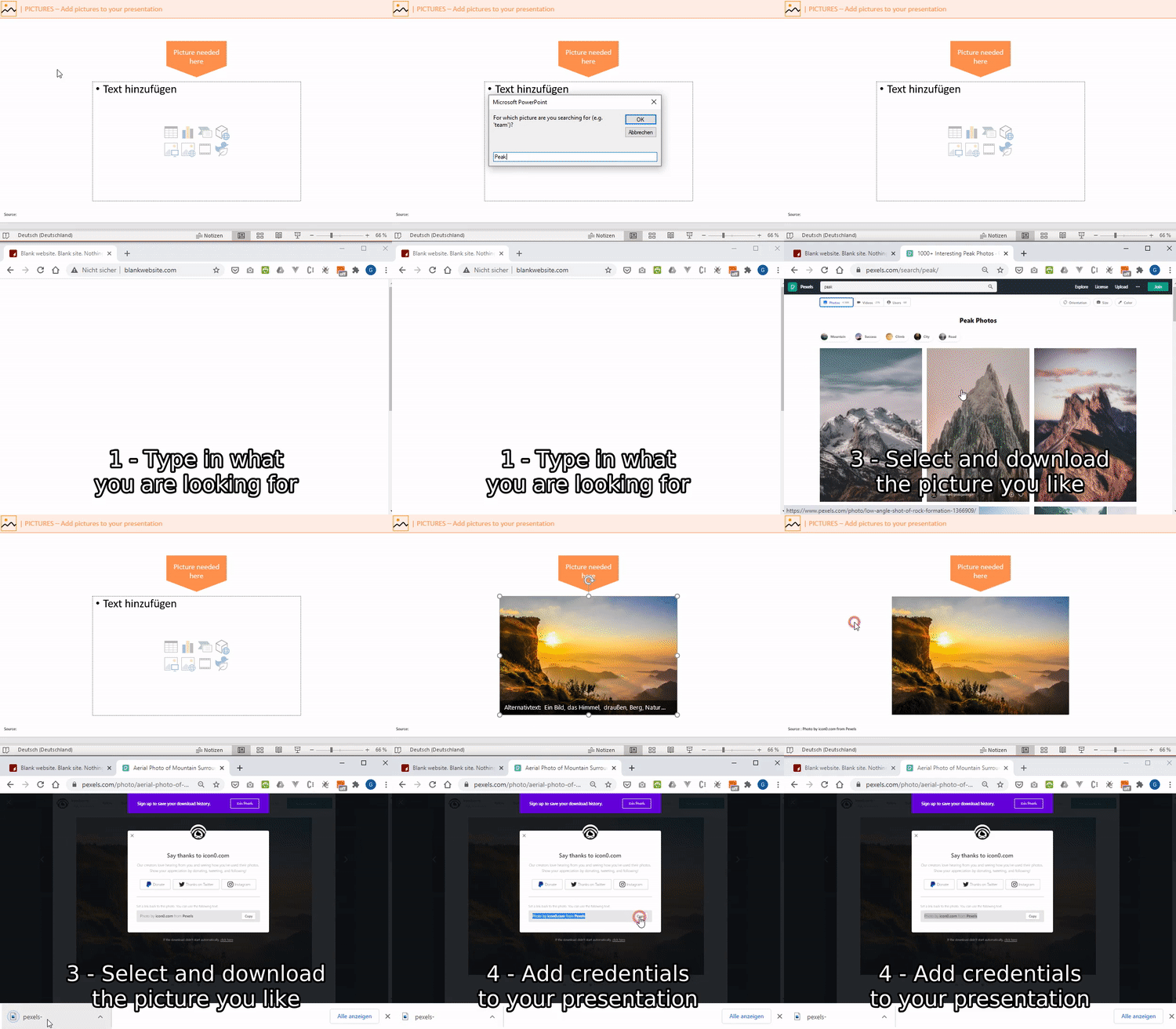
Just like icons - stock free pictures at your fingertips.
Saves you at least 240 seconds per picture
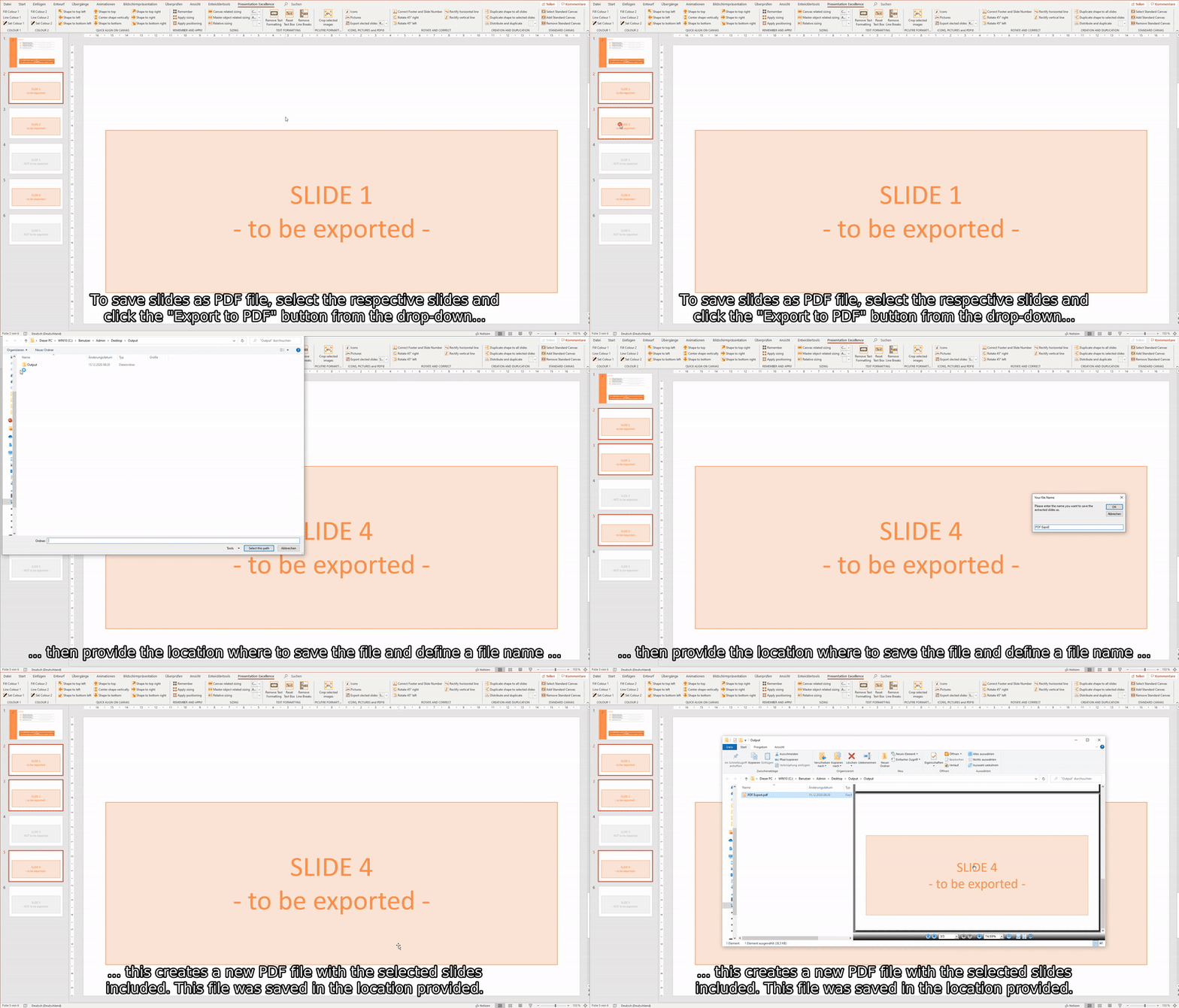
EXPORT SELECTION TO POWERPOINT, PDF, JPEG AND PNG
When you are sending presentations to customers or colleagues you frequently just want to send a selection of slides. Or you prefer sending a PDF. This is now very easy. Just select the slides for export and select the desired format - everything else is handled automatically.
Saves you at least 180 seconds per export
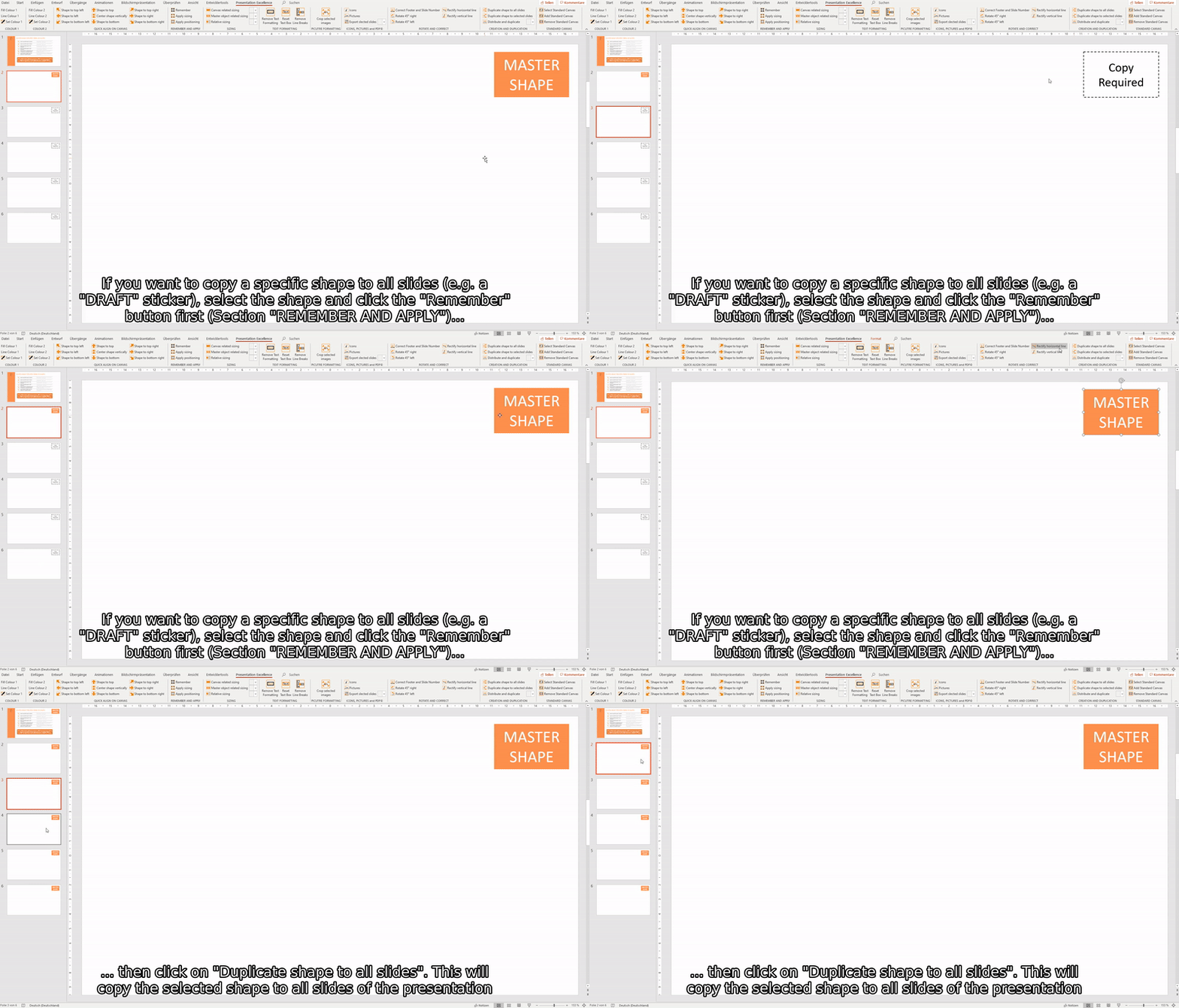
COPY SHAPE TO ALL SLIDES
You need to add a "Draft" sticker to all your slides? Or you need to mark the newest slides as "work in progress"? Do it by one single click instead of copy and pasting it to 200 slides. Also works for a selection of slides.
Saves you at least 10 seconds per slide
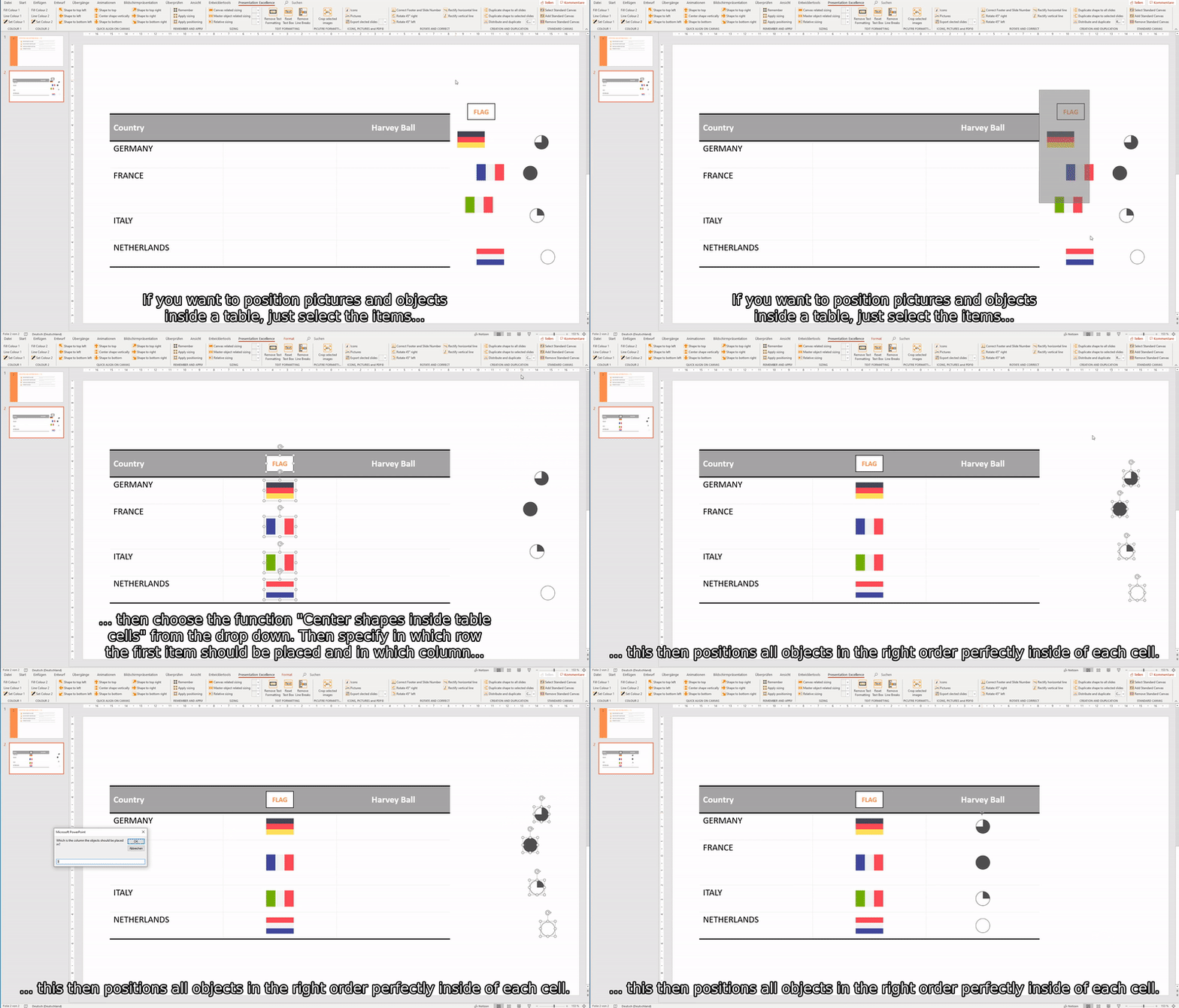
CENTER SHAPES IN TABLE
TOP FUNCTION
Tables and alignment - not a dream team. Ever tried to position those flags inside a cell? Or needed to reposition all those harvey balls because the row height increased. No longer! Just let the program do the nitty gritty for you.
Saves you at least 20 seconds per shape
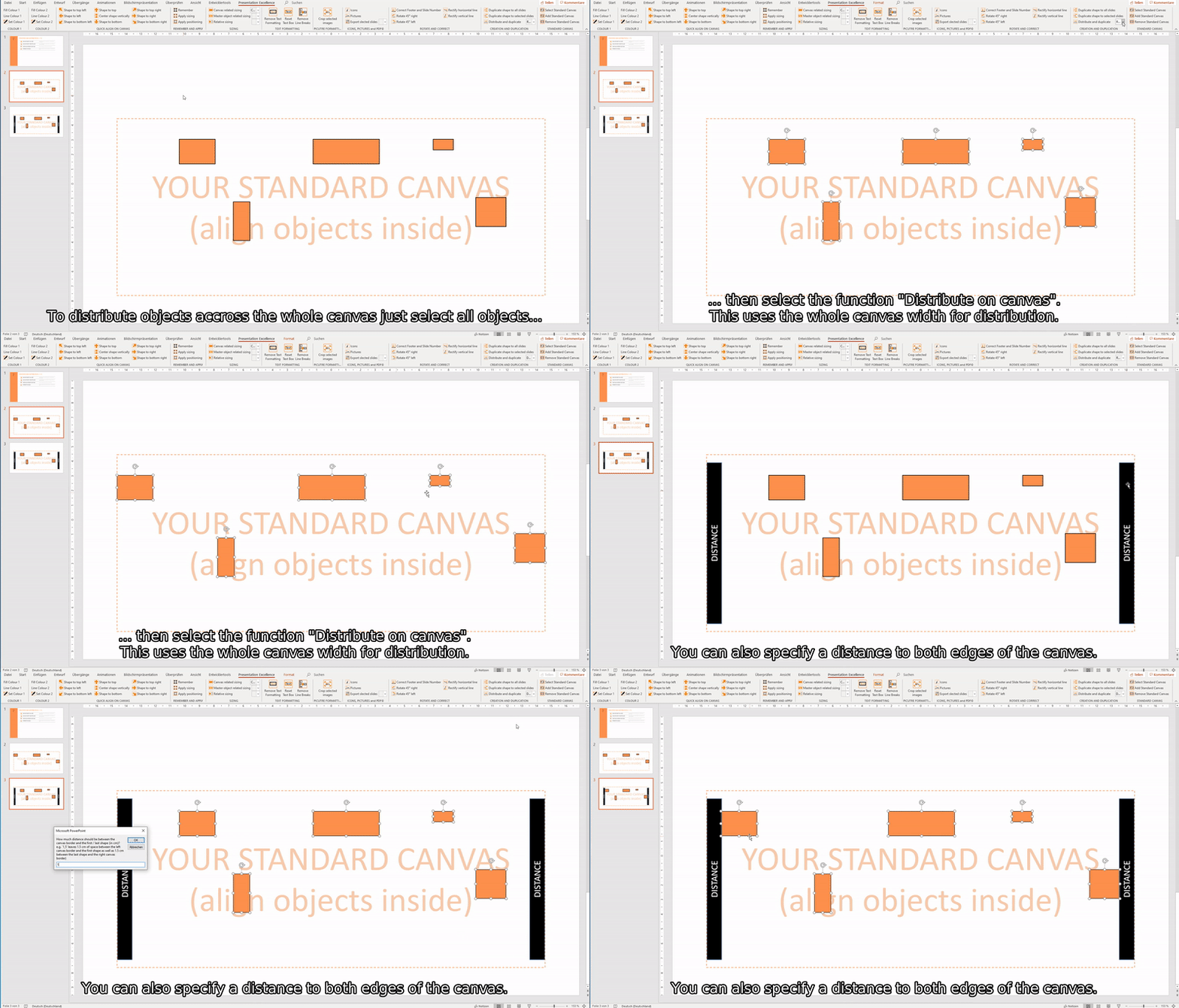
DISTRIBUTE ON CANVAS
Usually Powerpoint distributes shapes between the left- and rightmost shapes. But normally you want to distribute shapes on the whole canvas. Now you have a function for that.
Saves you at least 10 seconds per shape
DUPLICATE AND DISTRIBUTE
Needing a 5 step process from left to right? Need 4 columns accross your canvas? Spare your time and let the program do the work.
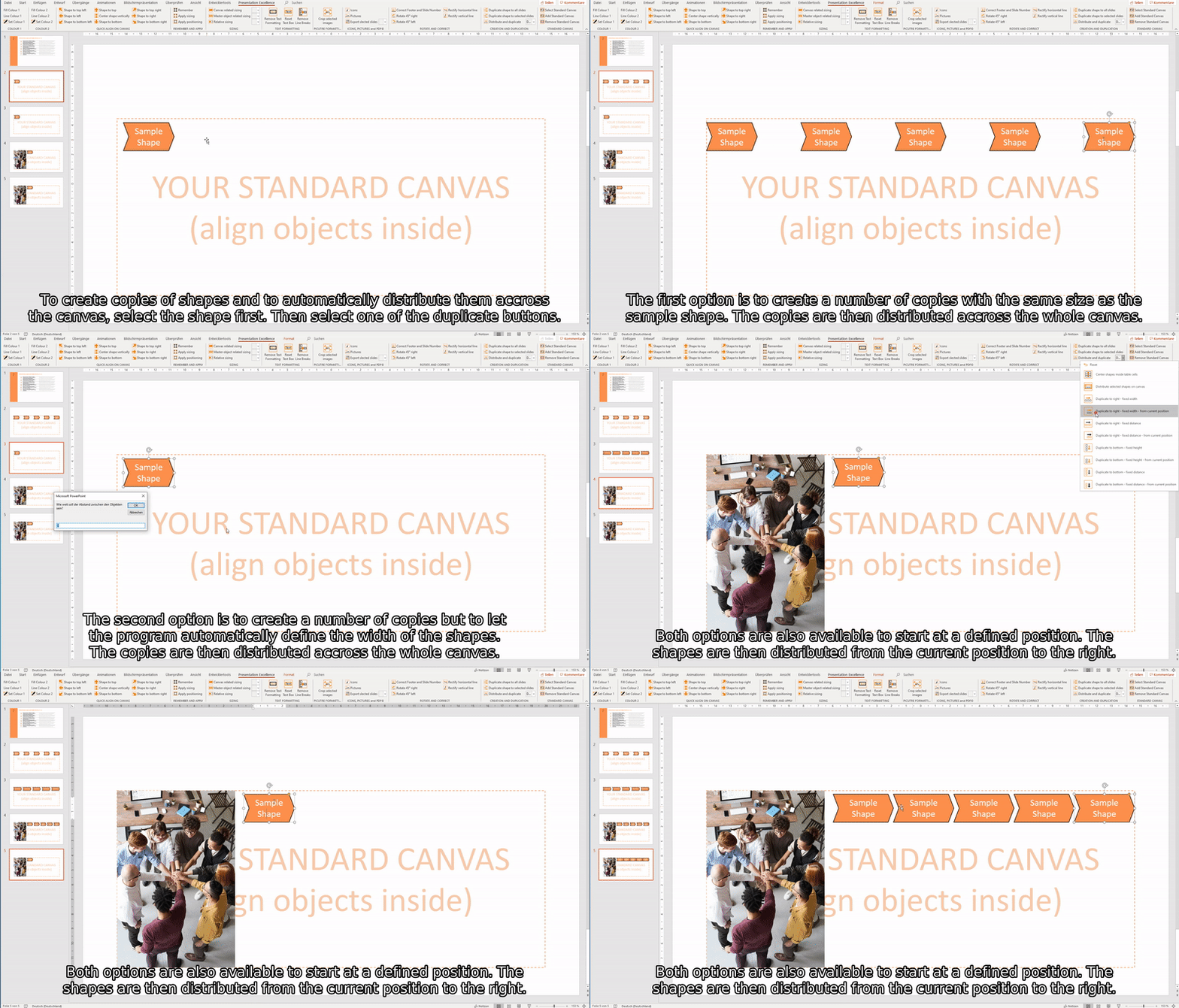
Saves you at least 20 seconds per shape
HOW ABOUT PRICING?
This tool was developed to increase efficiency, quality and fun when working with Powerpoint. So if you experience one of those three thanks to our tool - we would appreciate if you donate. This is the only way we profit from the effort we put into this tool.
But apart from that - the tool is and will remain free to use!