BEFORE START USING PLEASE READ CAREFULLY
This tool / add-in was developed to support you in the best way possible. It was designed to make you more efficient and to make working with Powerpoint more fun. It was thoroughly tested before made available. However, it is always possible that:
-
Functionalities do not work
-
Functionalities might not work as expected
Above that it might be that a function might have effects which were not intended by you (e.g. overwriting of existing contents). Usually this can be easily undone by pressing the "Undo" button of Powerpoint. However, if those effects are permanent I will not take any liability for any direct and indirect effects.
Just once more: You use this tool at your own risk.
By clicking the button to download the tool / add-in you have read this statement and accept it
THE FIRST 2 STEPS AFTER DOWNLOAD:
1 - INSTALL THE ADD-IN
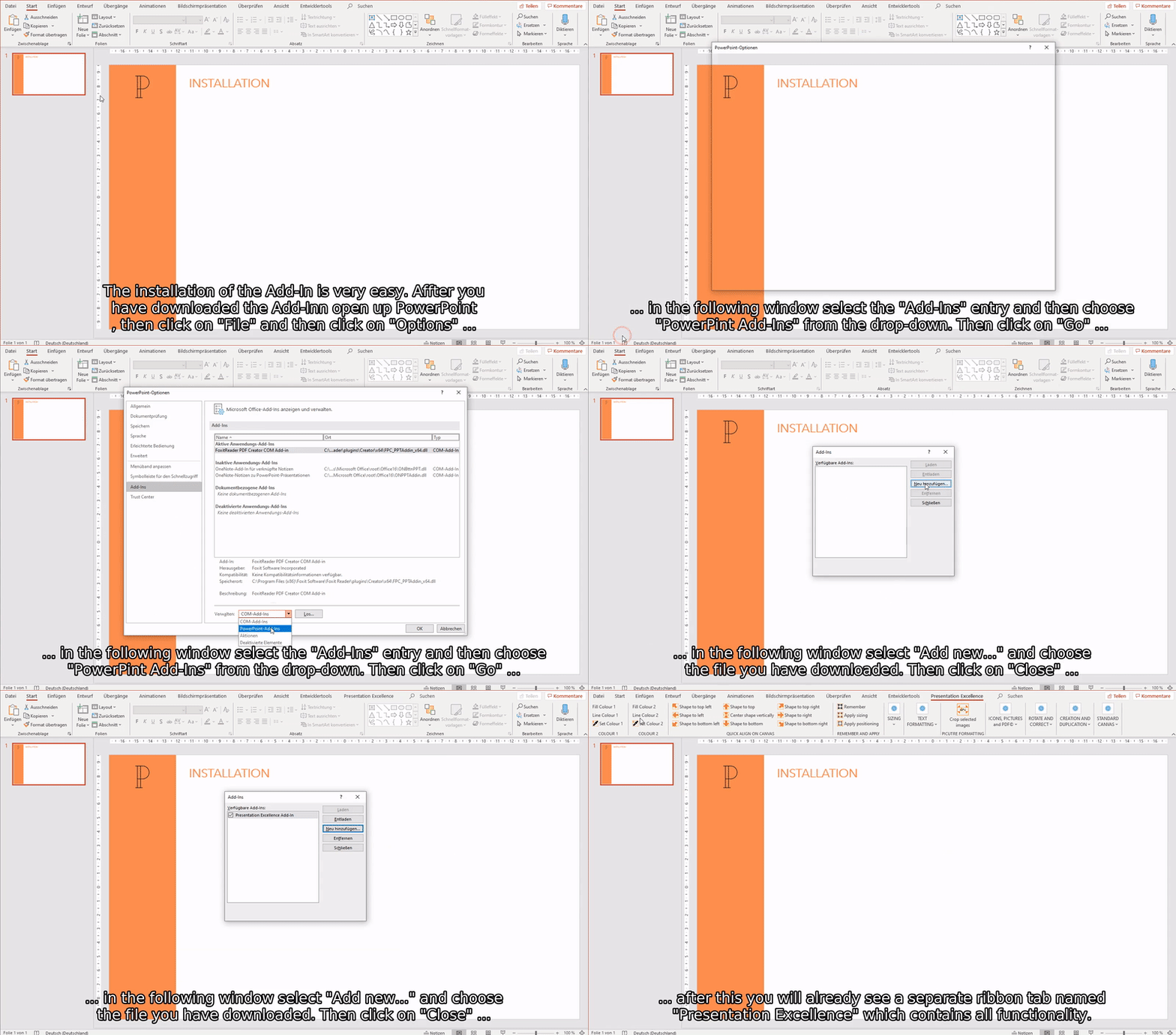
The installation of the Add-In is very easy...
2 - SET YOUR INITIAL STANDARD CANVAS
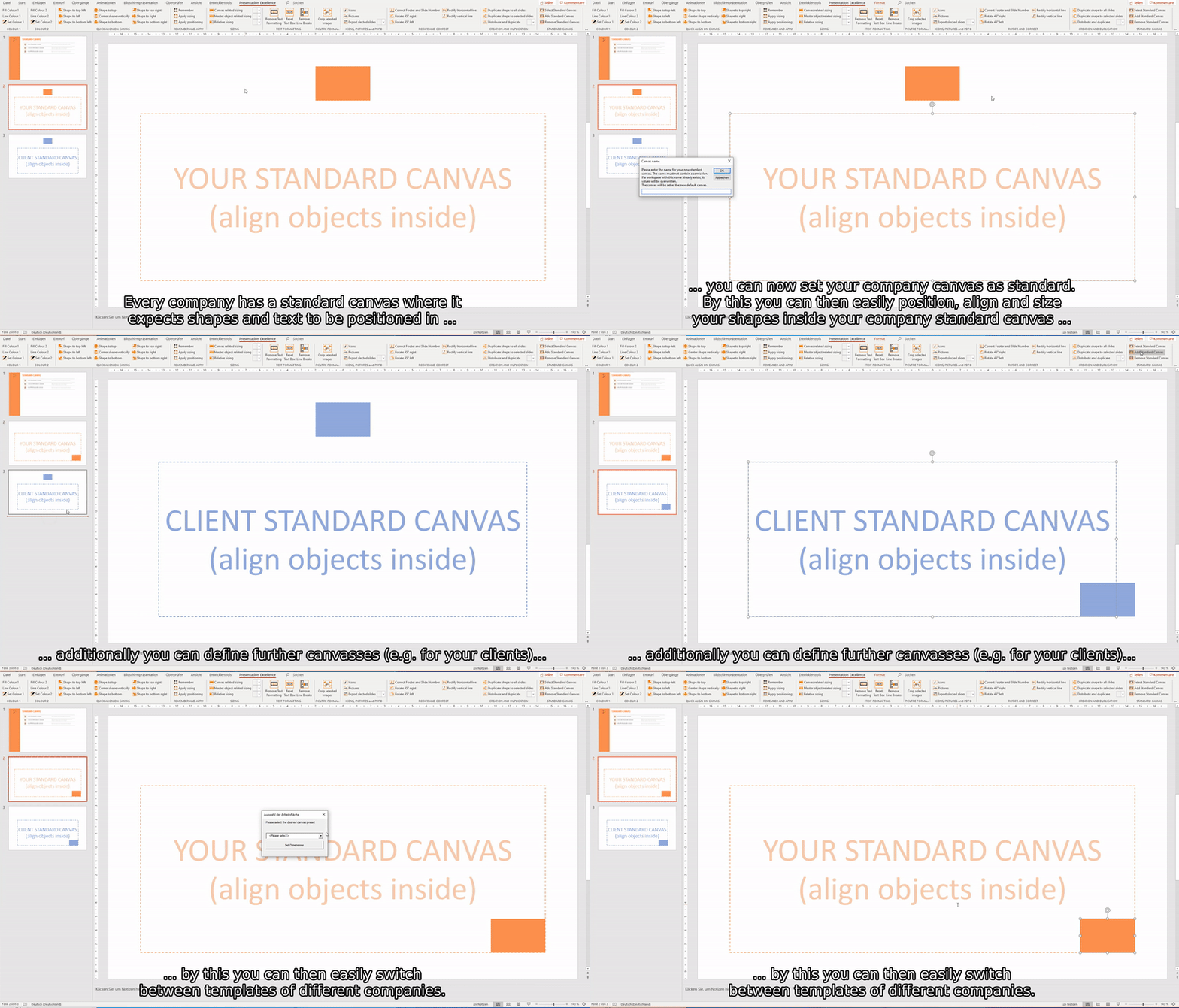
The standard canvas is the basic working area where you usually place obects and shapes in. To get the most out of the Add-In we strongly recommend to define your standard canvas right at the start.